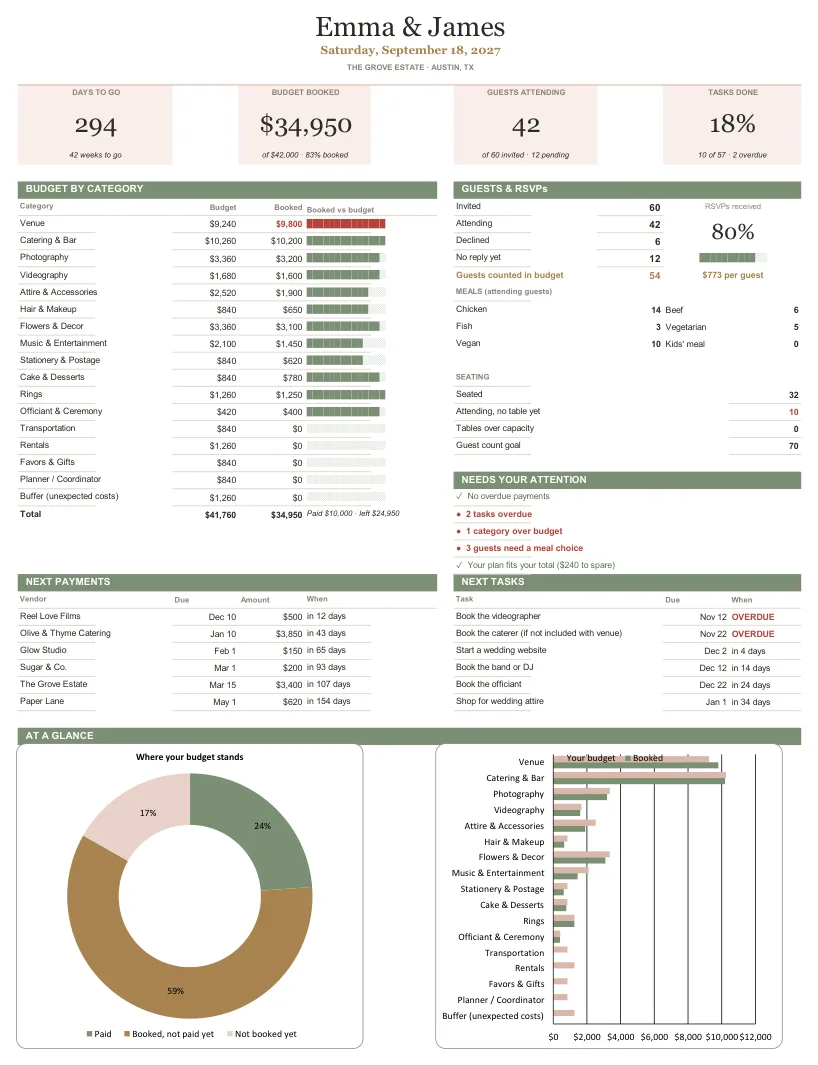
Dashboard
Countdown, budget, RSVPs, seating, what needs your attention and what's due next, in one view.
Budget, guest list, vendors and timeline, already built and connected. Open it in Excel and start with your date.
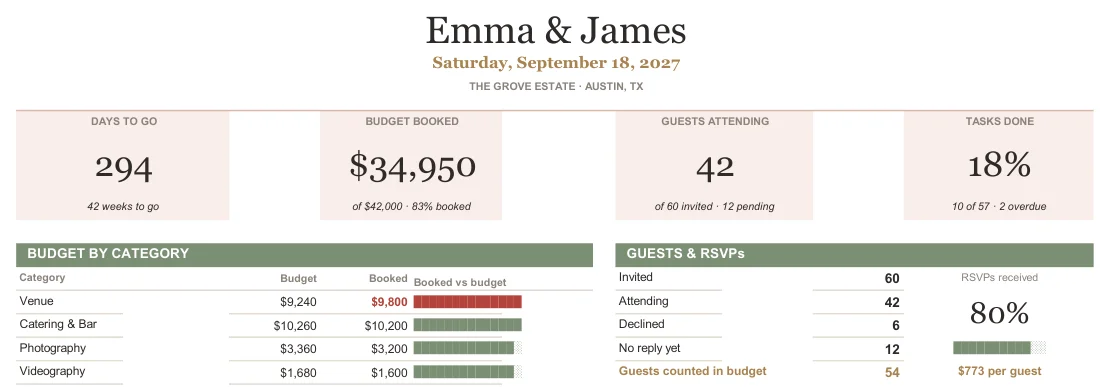
Sample data
GET THE SPREADSHEET →Take a look inside
You add your details; the formulas do the math. All screenshots show sample data from the example file.
Countdown, budget, RSVPs, seating, what needs your attention and what's due next, in one view.
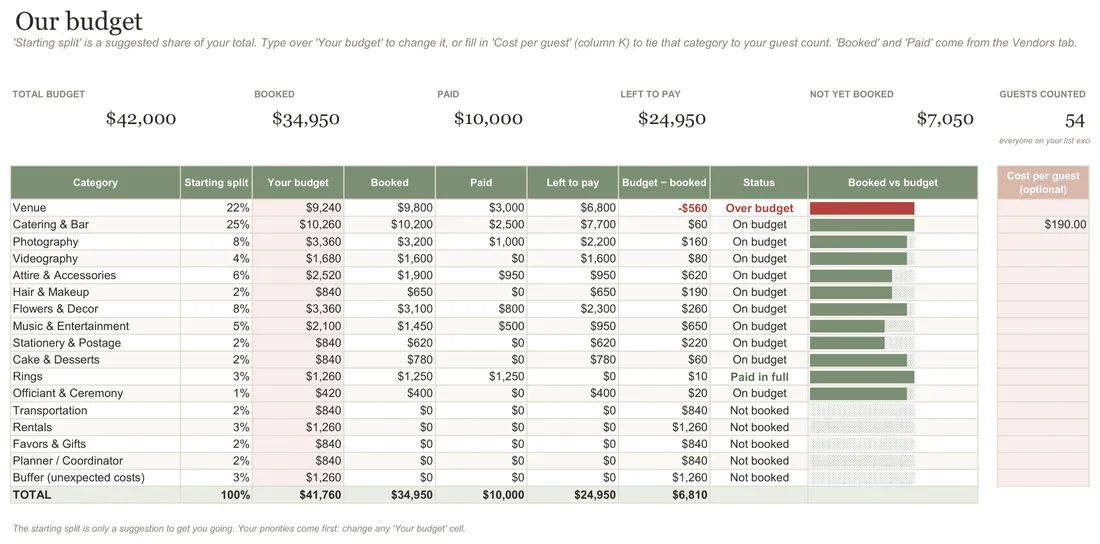
Set a total, split it across 17 categories and see what's booked, paid and left for each one.
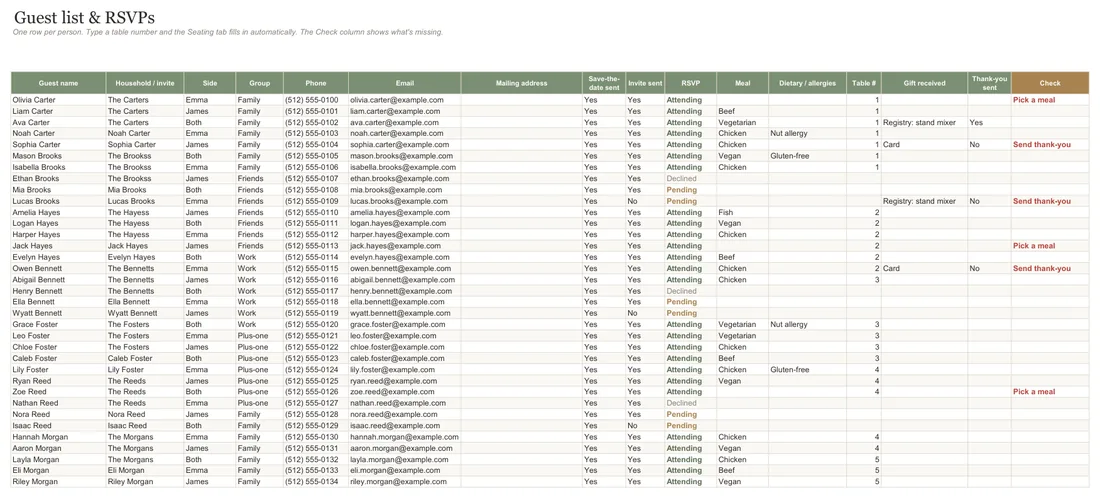
Up to 500 guests with RSVP, meal choice, allergies, table, gift and thank-you card.
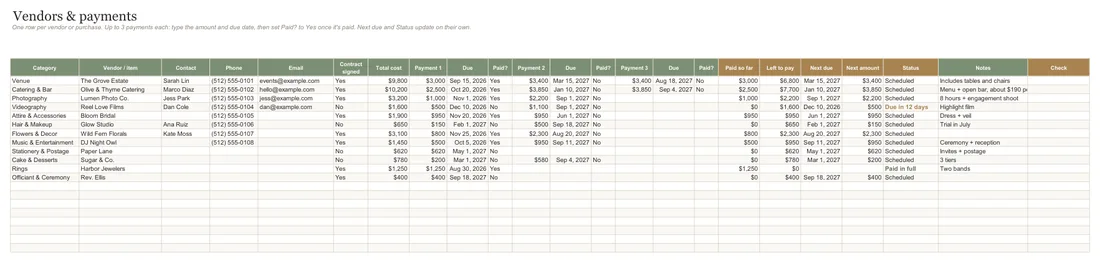
Every vendor with up to 3 payments, due dates and a status: overdue, due in X days or paid in full.
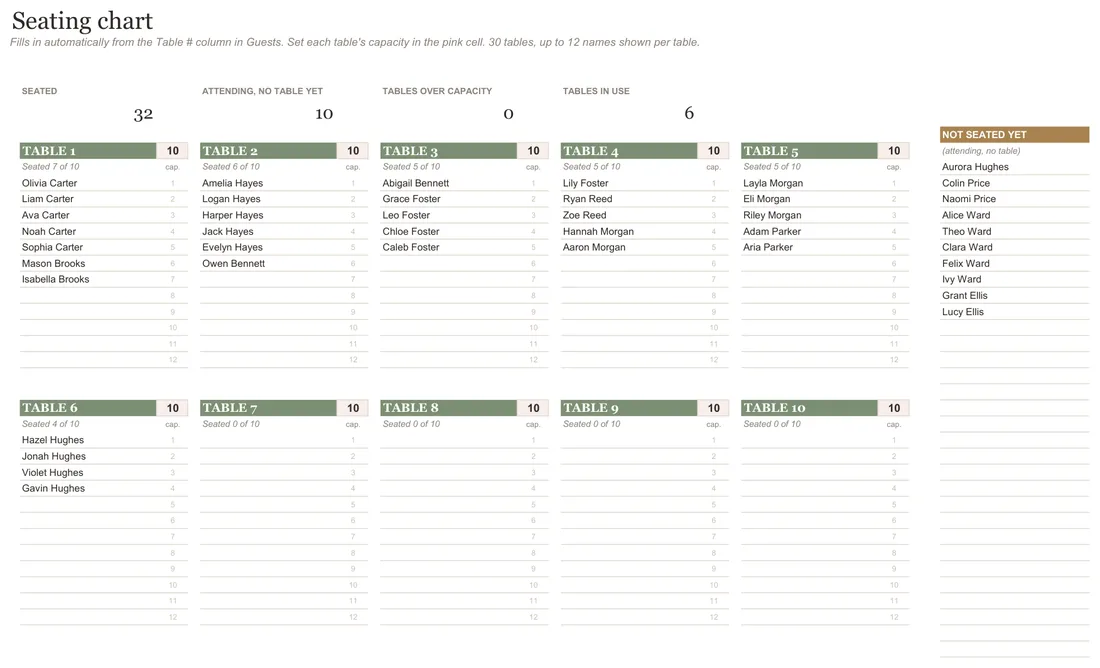
Type a table number on the guest list and the chart fills in by itself, with a warning when a table is full.
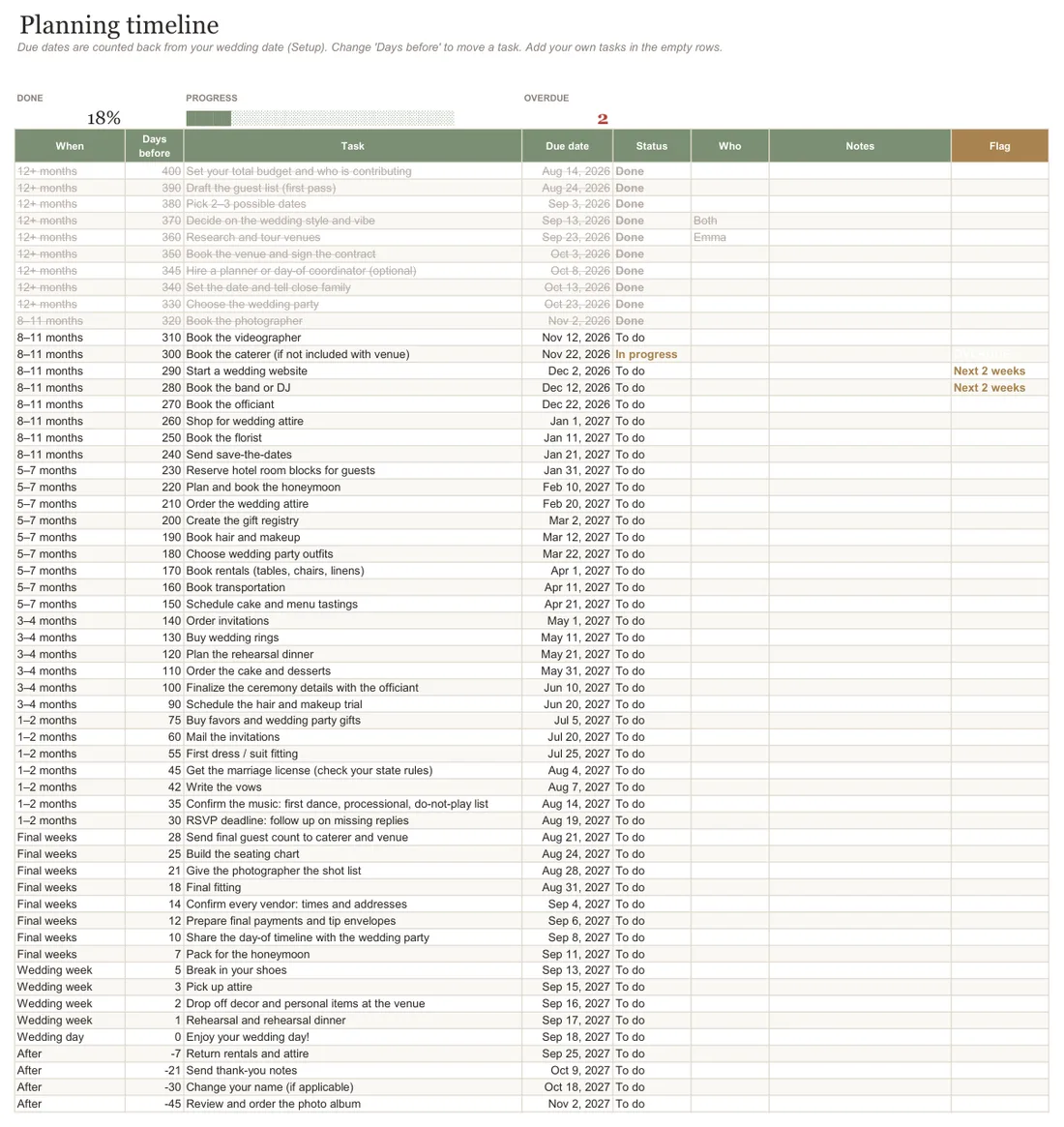
57 tasks from 13 months out to after the wedding, each due date counted back from your wedding date.
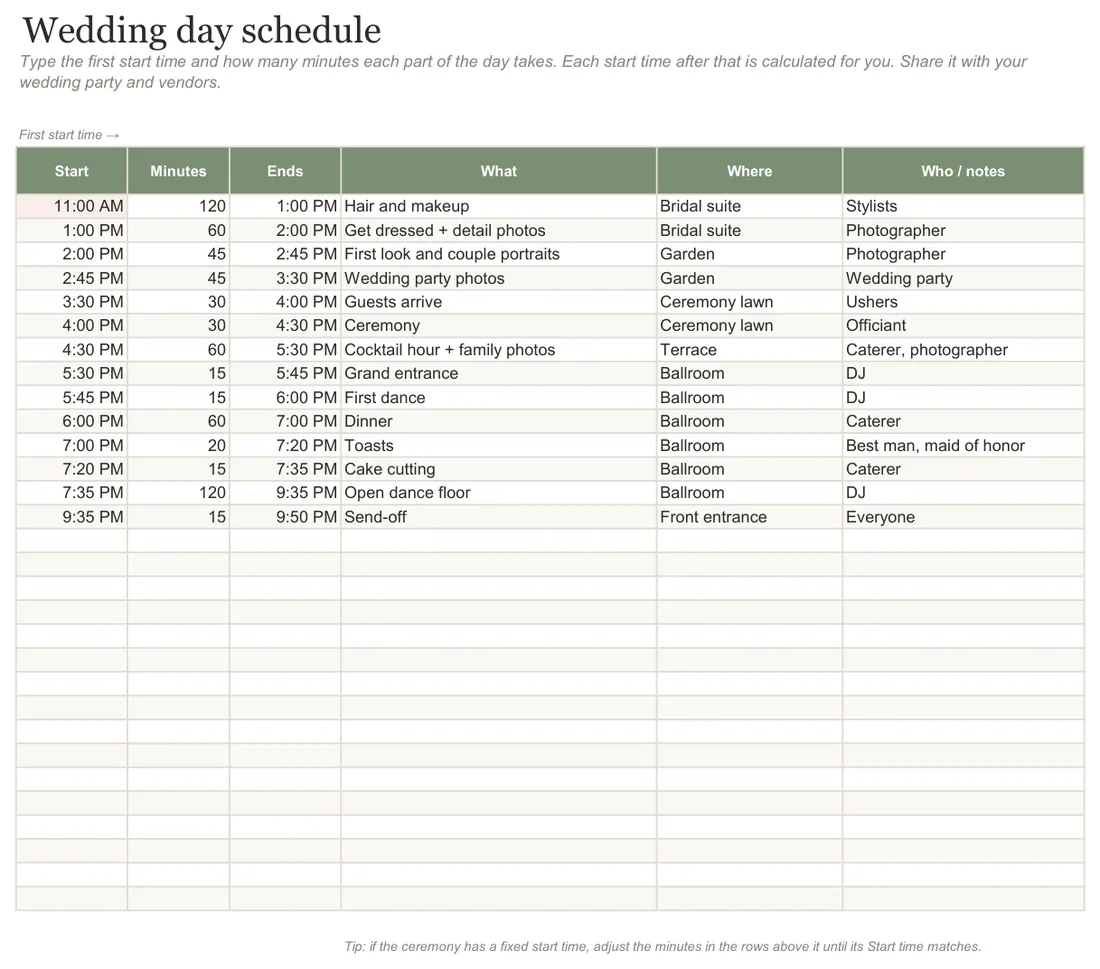
Enter the start time and how long each moment takes; the rest of the times work themselves out.
Swipe to see every tab →
See it work
Catering is often priced per guest. Give that category a cost per guest, and every guest you add to the list moves the headcount, the catering line and the total.
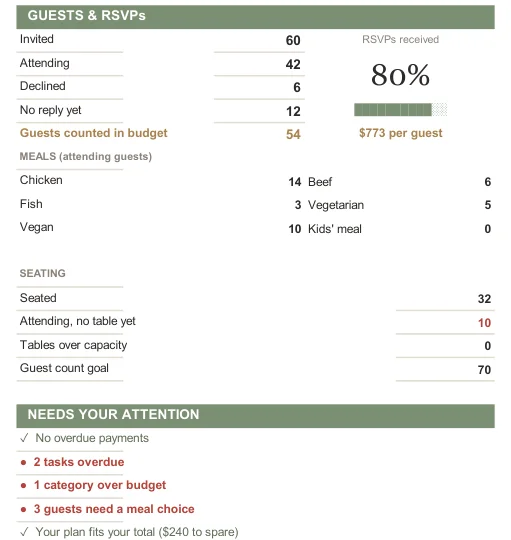
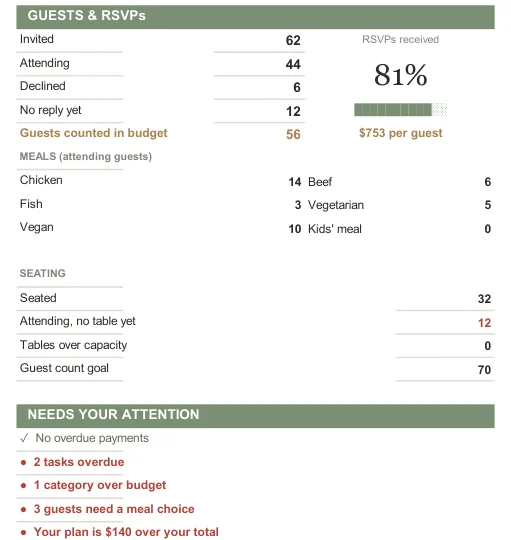
Sample data. Cost per guest is optional: categories without it keep the amount you set.
Why one file
Free templates are a fine start. Many are separate lists: one for guests, one for the budget, one for tasks, and you connect everything by hand. The 2027 Wedding Spreadsheet links the tabs together. A guest you add changes the headcount. A payment you mark as paid changes what's left. Your wedding date sets the timeline.
| Typical free template | The 2027 Wedding Spreadsheet | |
|---|---|---|
| Budget, guests, vendors, timeline | Separate lists | One file, connected |
| Dashboard with alerts | — | ✓ |
| Timeline from your date | — | ✓ |
| Seating chart that fills itself in | — | ✓ |
| Filled-in example to learn from | — | ✓ |
Your access link arrives by email right after checkout. No waiting, no shipping, nothing to install.
I WANT THE SPREADSHEET →Who it's for
A wedding has a lot of moving parts: a venue, a caterer, a photographer, a guest list that keeps changing, and payments due on different dates. This spreadsheet was built for exactly that. It works for a big wedding or a small one, a ballroom or a backyard. You only use the tabs you need.
Everything inside
Shown in US dollars. Using another currency? Type your symbol in the "Currency symbol" field on the Setup tab and the dashboard summaries use it; for the amount cells, switch them to your currency format in Excel.
One plan, everything included
$47 USD
One-time payment
One-time payment. No subscription, no renewals. Secure checkout by Kiwify.
Optional add-on at checkout · $12
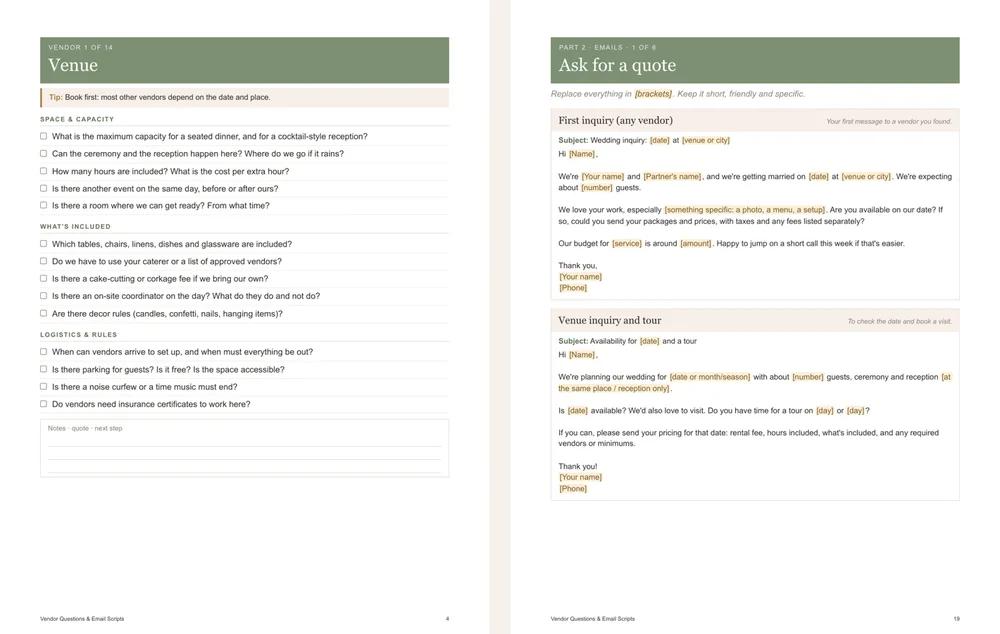
127 questions to ask 14 types of vendors before you sign, a table to compare 3 quotes, and 22 ready emails to request quotes, negotiate, confirm and politely say no. PDF and editable Word file. It's a box you can tick on the checkout page; it's never added unless you choose it.
Open the spreadsheet, try the tabs and see if it fits how you plan. If it's not for you, ask for a refund within 7 days of purchase and you'll get your money back. See the refund policy.
Free templates can work, and many couples start with one. Many are separate lists you connect by hand. This spreadsheet links the budget, the guest list, the vendors and the timeline, with a dashboard on top, so a change in one place shows up everywhere. If a free template already does that for you, you probably don't need this.
Yes. You don't write formulas or build anything. You type names, dates and amounts in the pink cells and the green columns, and the spreadsheet does the math. The filled-in example shows what each tab looks like when it's in use.
Microsoft Excel on a computer. That's where it was built and tested.
We haven't tested it in Google Sheets or in phone apps yet, so we don't promise it works there. If that's how you plan to use it, this may not be the right fit for now.
Yes. Start with the budget, the guest list and the vendors. Add the date when you have it, and the timeline fills in.
Yes. It's a regular Excel file, so you can keep it in a shared folder and both open the same plan.
No. It's a one-time payment, and the files are yours to keep.
You have 7 days to ask for a refund. See the refund policy.